Listing descriptions
AI Property and Listing Descriptions for Real Estate Agents
AI listing descriptions, also called AI property descriptions, are what an AI writes about a home from the listing's own details, for the agent to review before they go on the listing page. In HouseListr, James, the AI assistant, writes yours from the facts in your listing, in your own writing voice if you set one up, and nothing changes on the listing until you tap Save description. Available on every plan: Essential, Signature and Premier.
Book a demoA Description You Can Put Your Name To
Written From Your Listing
Price, rooms, size, year built, lot and the features you tick. Every number in the description has to come from your listing or from you, or the description is thrown out.
Screened Before You See It
Each description is checked for Fair Housing risk: words aimed at a type of buyer, crime or school-rating claims, income projections and vague distance claims.
Live Only When You Save
The new description sits next to the current one. Save it, ask for a change, or tap Not now and the listing stays as it was.
How It Works, Step by Step
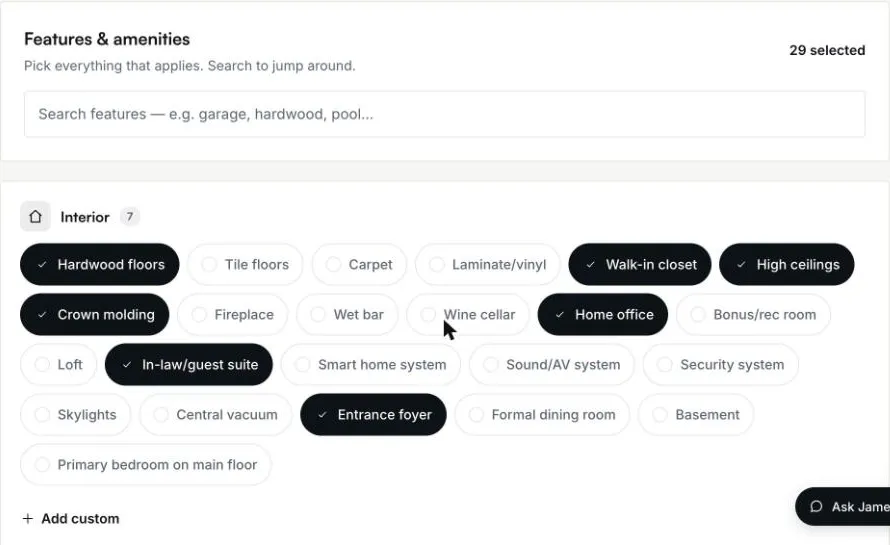
1. Fill in the listing
James writes from what the listing holds: its type, price, rooms, size, year built, lot and the features you tick. When a listing has no price or only a few basic facts, he writes nothing and tells you what is missing. When the facts are there but the details are thin, he first asks what makes the home special: upgrades, materials, the view, its history.
2. Ask in plain words
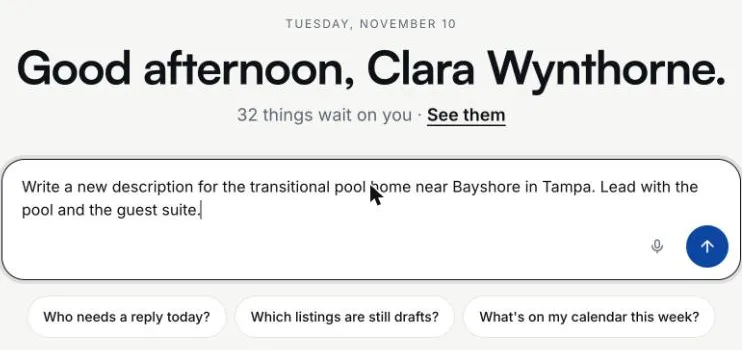
Ask James for a description and say what to lead with. There are no commands or forms: the request is a sentence, and it can carry a fact of your own, such as the year the roof was replaced.
3. Review the new description
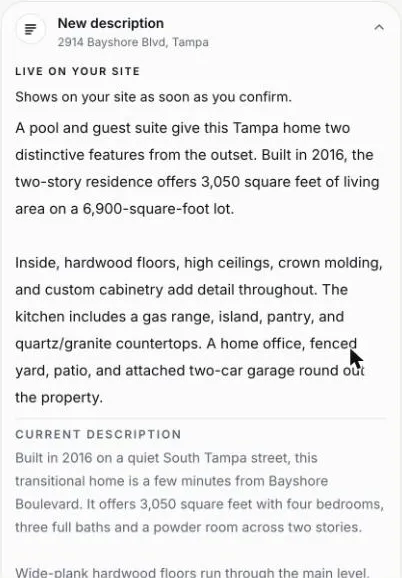
The new description comes back on a card, with the description on the listing now underneath it, so you compare the two before anything changes. The card says the new text shows on your site as soon as you confirm.
4. Save it, change it or leave it
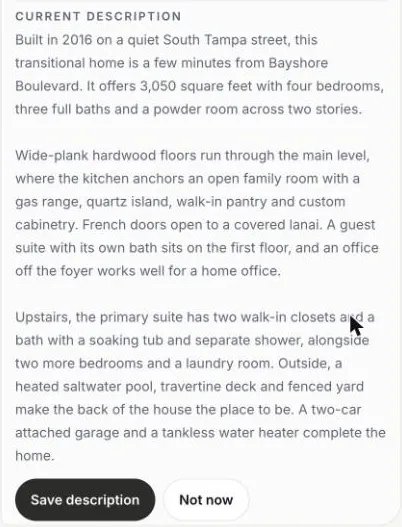
Save description puts the new text on the listing. Not now leaves the listing exactly as it was. To change it, say so: shorter, a different lead, a fact to add, and James writes a new version for you to review.
A Real Example From a Demo Listing
A 2016 two-story transitional home in Tampa, 3,050 square feet on a 6,900-square-foot lot, with a pool, a guest suite and 29 features ticked. The agent asked James to lead with the pool and the guest suite, then for a warmer version in two short paragraphs. This is the second version, word for word, from a demo account with fictional data:
A pool and guest suite give this Tampa home two distinctive features from the outset. Built in 2016, the two-story residence offers 3,050 square feet of living area on a 6,900-square-foot lot.
Inside, hardwood floors, high ceilings, crown molding, and custom cabinetry add detail throughout. The kitchen includes a gas range, island, pantry, and quartz/granite countertops. A home office, fenced yard, patio, and attached two-car garage round out the property.
Ways Agents Use It
A new listing
Write the first description from the facts as soon as the listing is entered.
Your own draft, improved
Ask James to rewrite the description you wrote. Your facts stay; the writing changes.
One change at a time
Shorter, a different opening, a fact only you know: say it, and James writes a new version.
Your exact words
Dictate the description yourself and James checks it before it goes on the card.
In your voice
Set up your writing voice in your account, and descriptions are written the way you write.
Back to the last one
Changed your mind after saving? Ask James in the same conversation to put back the description it replaced.
What It Will Not Do
No invented numbers. Every number in a description must come from your listing or from you. Square footage the listing does not state is the kind of claim an agent is held to, so a description with any other number is rejected.
No padding. A listing with only a price and a city gets no description, and a thin one gets questions first. An AI handed too little writes adjectives about nothing.
No Fair Housing risk language. Wording aimed at families or other types of buyers, crime and safety claims about a place, school ratings and income projections are screened out.
No other changes. Asking for a description changes the description only. The price, the features and every other field stay as they are.
Nothing without you. The listing changes only when you tap Save description.
Straight Answers
- Which plans include AI listing descriptions?
- Every plan: Essential, Signature and Premier. Each plan has a monthly AI allowance, and descriptions count toward it.
- What does a good listing description include?
- The facts buyers search for (type, size, rooms, year built), what sets the home apart, and nothing the agent cannot back up. That is why James writes only from your listing's facts and the details you give him, and checks every number against the listing.
- How long is each description?
- About 120 to 220 words when the listing has the details for it, fewer for a sparse listing and up to 300 for an unusually complex home. It is never padded to reach a length.
- Is it checked for Fair Housing?
- Yes. The Fair Housing Act prohibits discrimination in housing because of race, color, national origin, religion, sex, familial status and disability. Every description is screened for protected-class language and for wording that steers buyers, before you see it.
- Can I still edit the description myself?
- Yes. The description is a field in your listing editor, and you can change it at any time, with or without James.
- Where does the description appear?
- On the listing's own page on your website, once you save it. See real estate agent websites for what each listing page shows.
- How is this different from a general AI chat?
- A general chat needs the facts pasted in and hands back text to copy somewhere else. James reads your listing's facts himself, checks every number against them, screens for Fair Housing language and saves to the listing when you confirm. Descriptions are one of the jobs of the HouseListr AI assistant.